
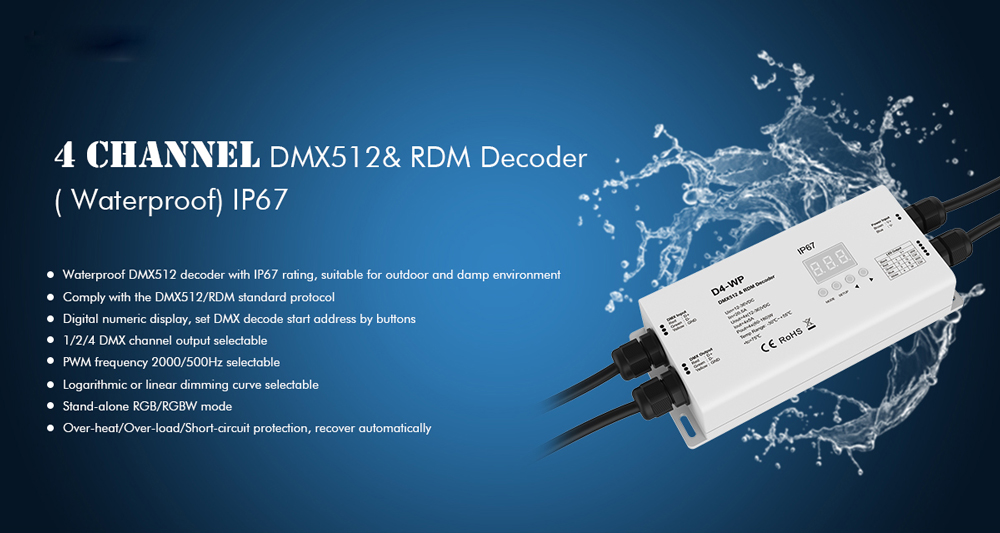
4 Channel Waterproof DMX512 & RDM Decoder 12V 24V 36V D4-WP
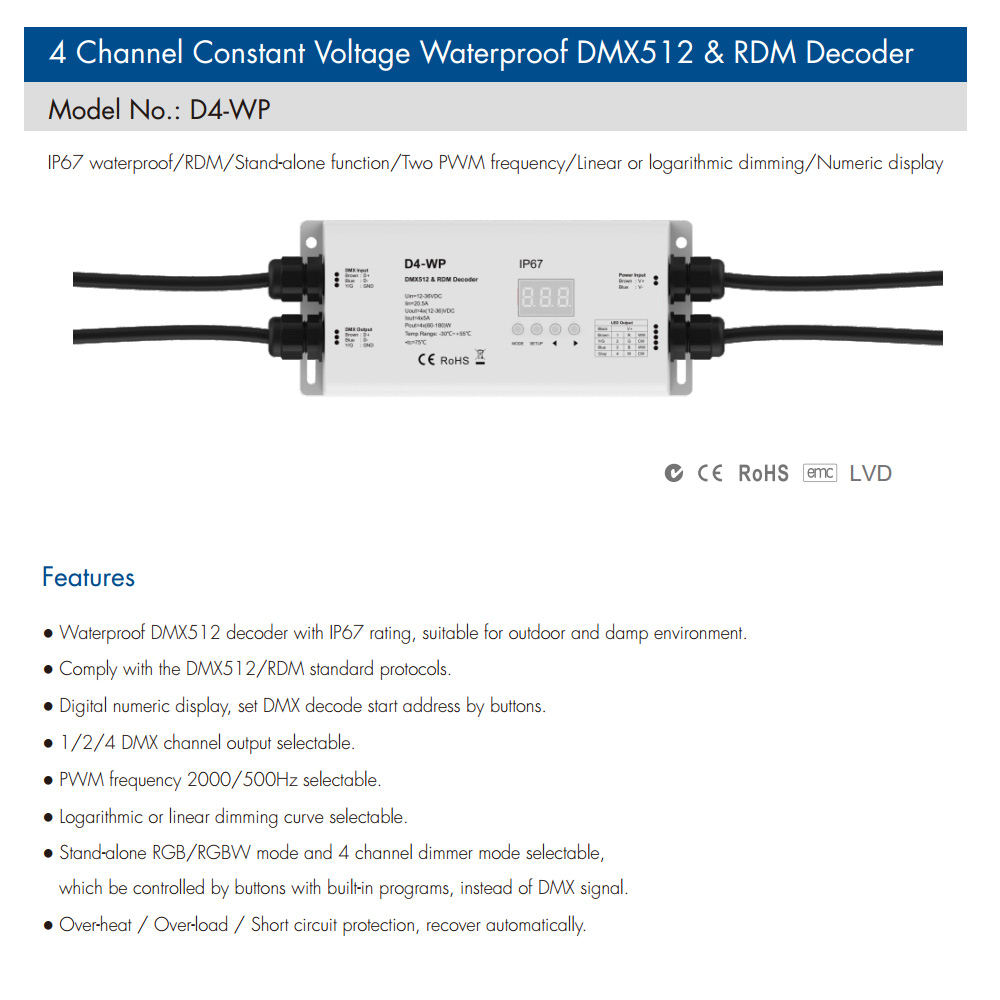
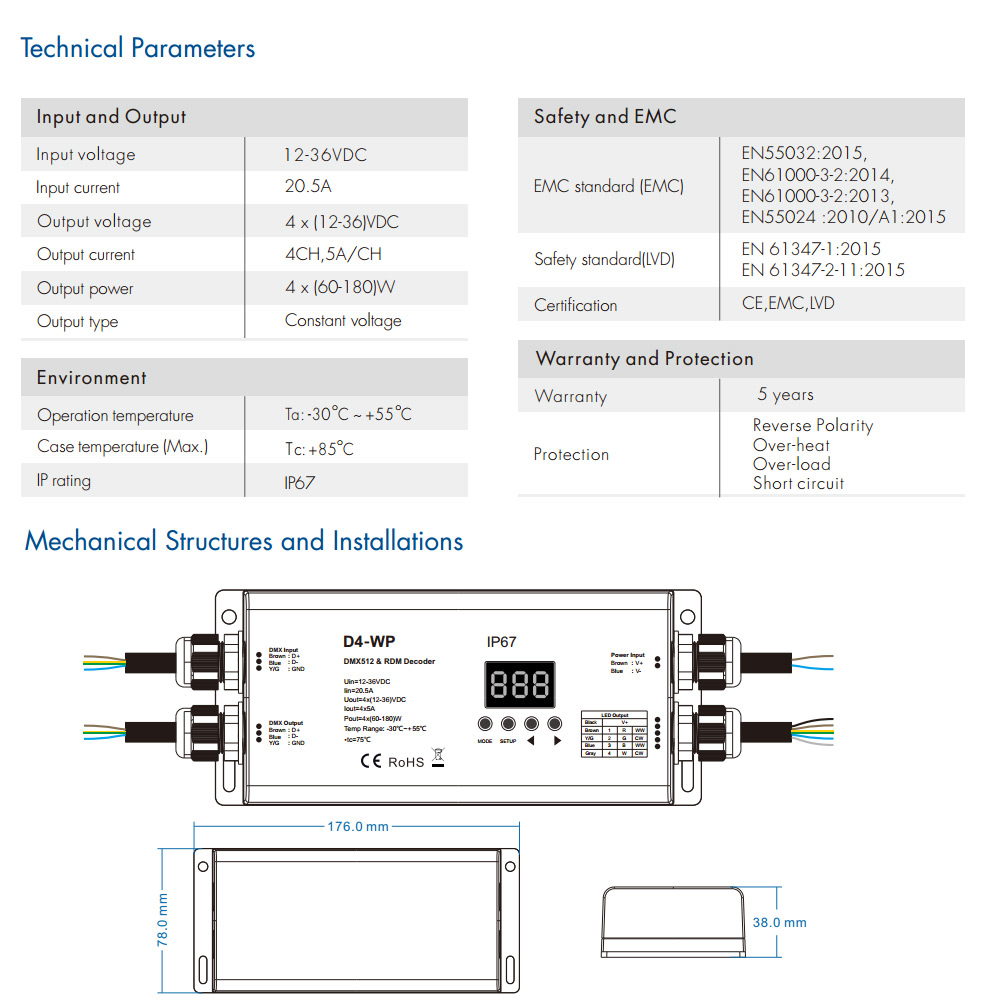
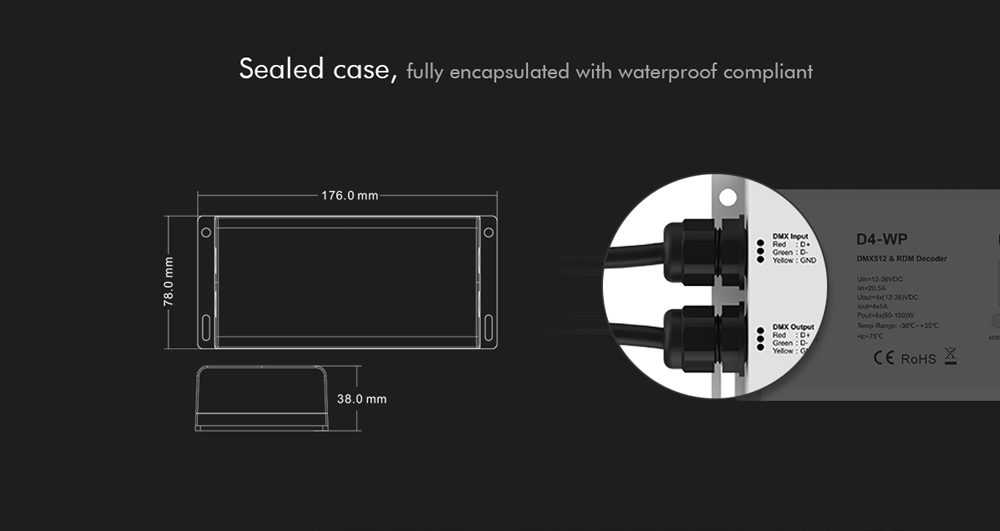
Input Voltage: 12-36V DC
Output Voltage: 12-36V DC
Output Current: 4Channel, 5A per channel
Output Power: 4 x (60-180W)
Product Name: DMX 512 Decoder / RDM Decoder
Model: MJJC-D4-WP
IP67 waterproof/RDM/Stand-alone function/Two PWM frequency/Linear or logarithmic dimming/Numeric display
Features:
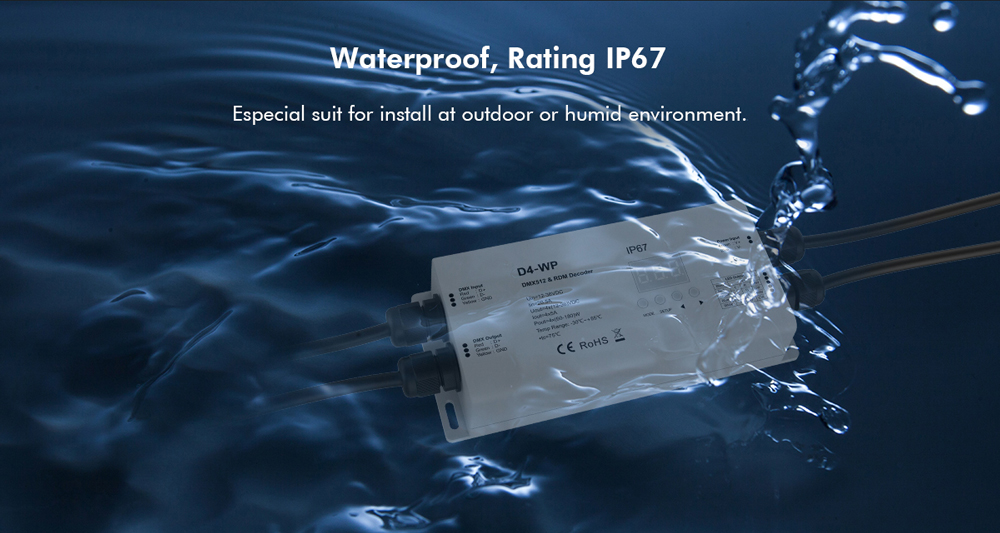
● Waterproof DMX512 decoder with IP67 rating, suitable for outdoor and damp environment.
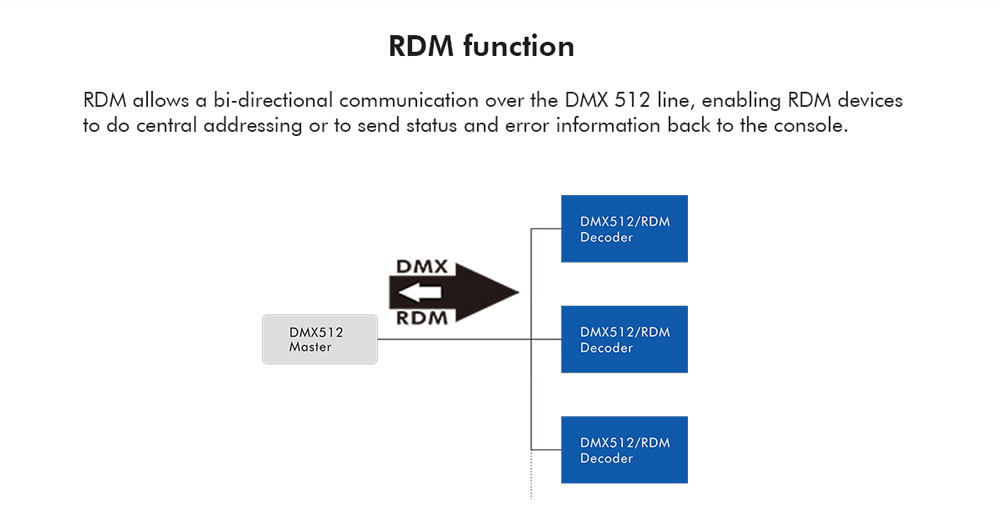
● Comply with the DMX512/RDM standard protocols.
● Digital numeric display, set DMX decode start address by buttons.
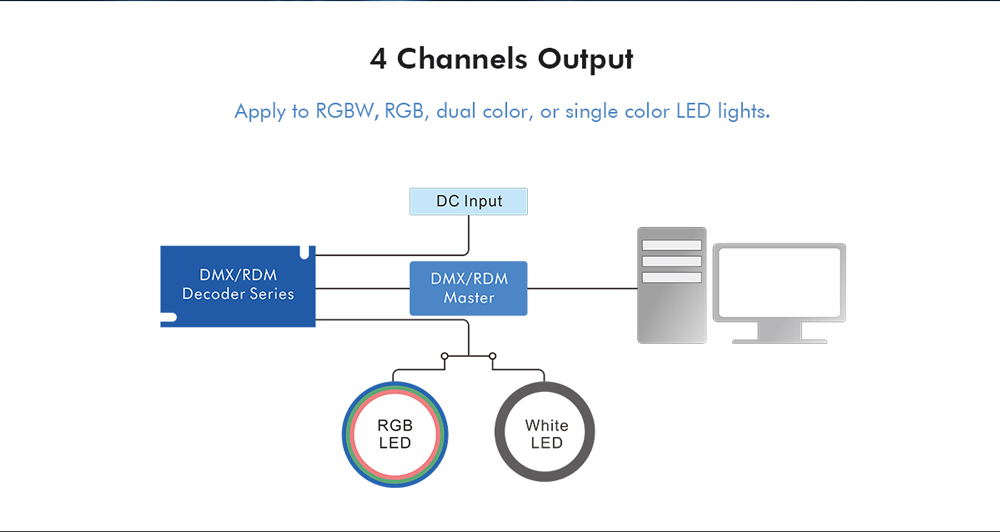
● 1/2/4 DMX channel output selectable.
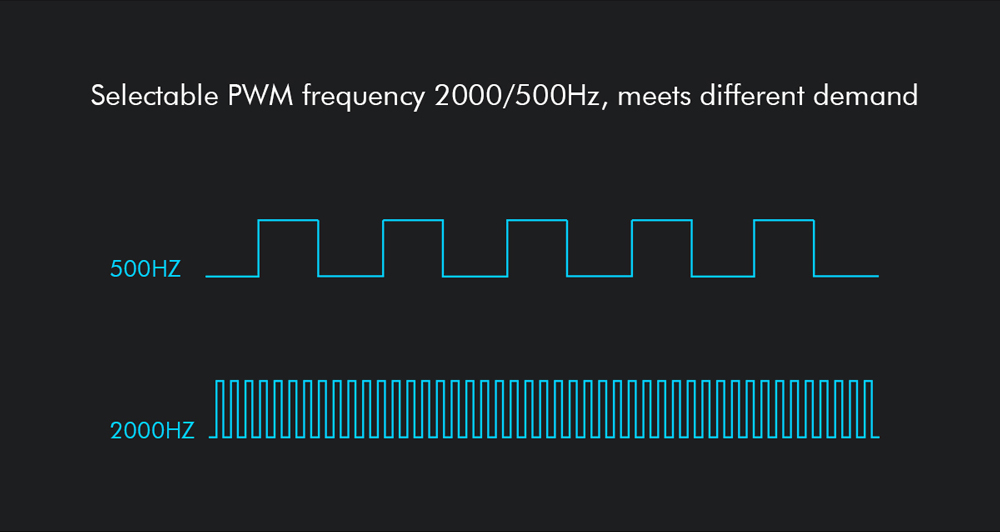
● PWM frequency 2000/500Hz selectable.
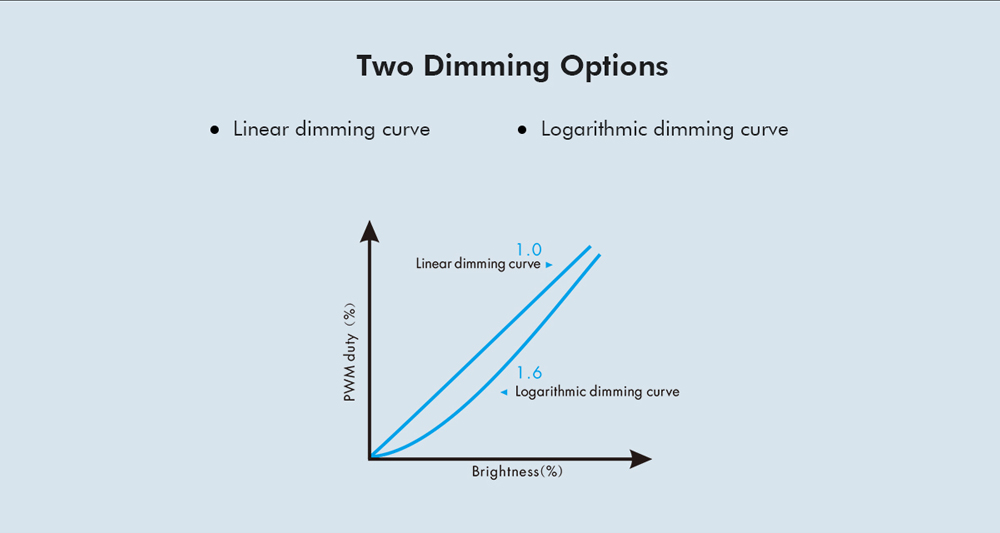
● Logarithmic or linear dimming curve selectable.
● Stand-alone RGB/RGBW mode and 4 channel dimmer mode selectable,
which be controlled by buttons with built-in programs, instead of DMX signal.
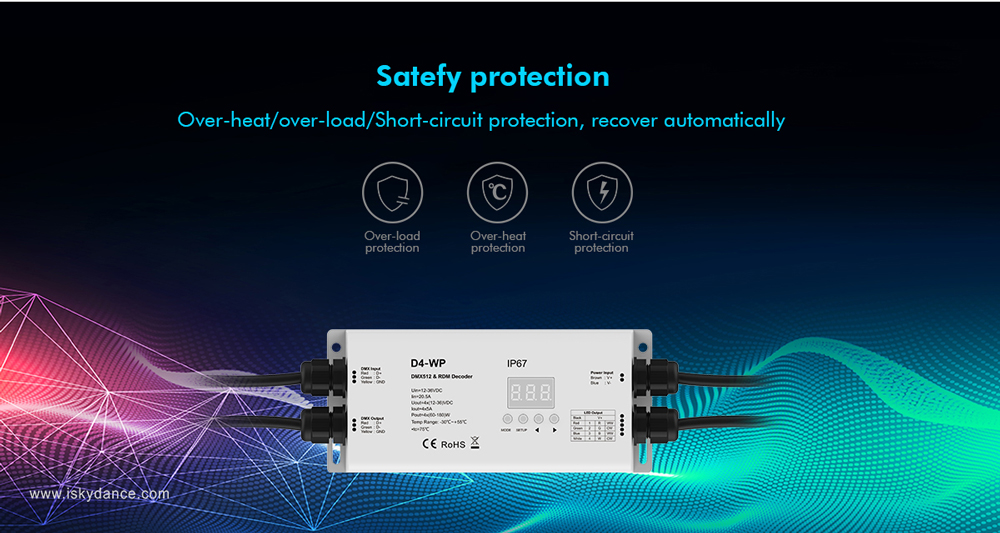
● Over-heat / Over-load / Short circuit protection, recover automatically
DMX Mode:
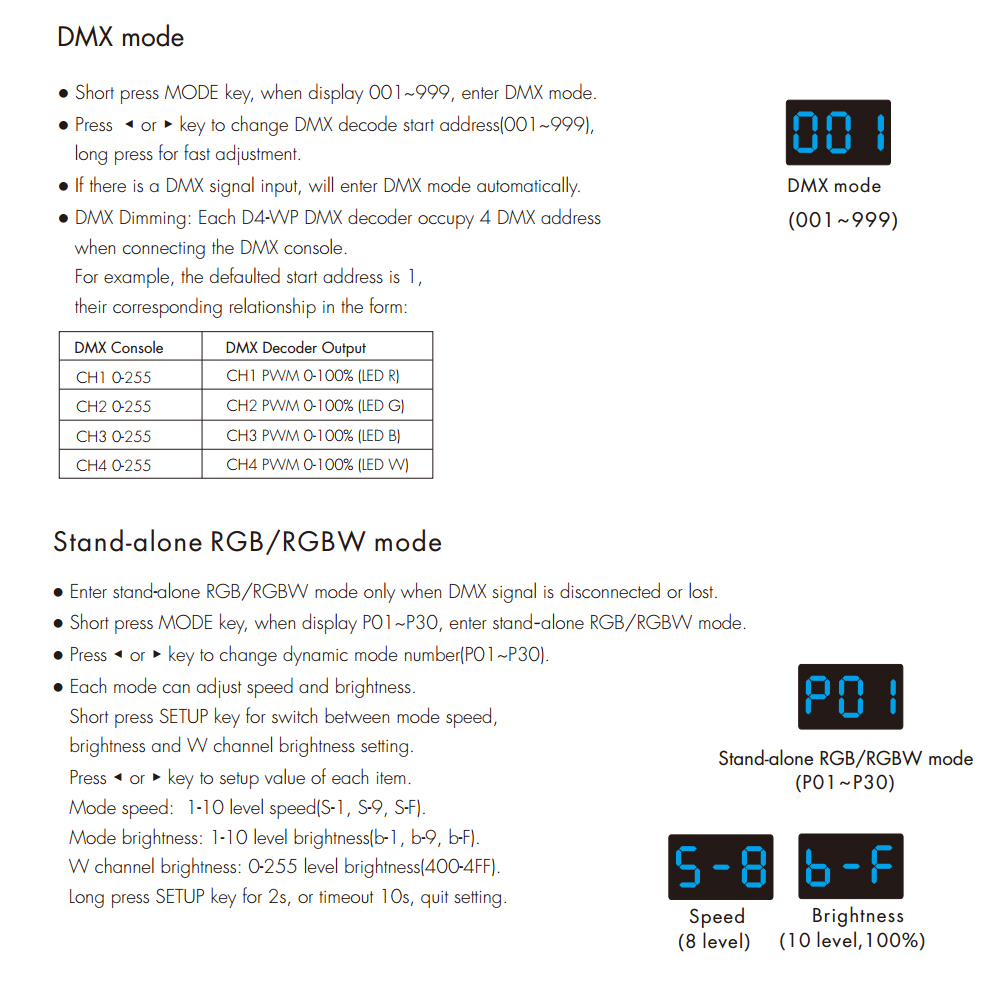
● Short press MODE key, when display 001~999, enter DMX mode.
● Press ◀ or ▶ key to change DMX decode start address(001~999),
long press for fast adjustment.
● If there is a DMX signal input, will enter DMX mode automatically.
● DMX Dimming: Each D4-WP DMX decoder occupy 4 DMX address
when connecting the DMX console.
For example, the defaulted start address is 1,
their corresponding relationship in the form:
Stand-alone RGB/RGBW mode:
● Enter stand-alone RGB/RGBW mode only when DMX signal is disconnected or lost.
● Short press MODE key, when display P01~P30, enter stand–alone RGB/RGBW mode.
● Press ◀ or ▶ key to change dynamic mode number(P01~P30).
● Each mode can adjust speed and brightness.
Short press SETUP key for switch between mode speed,
brightness and W channel brightness setting.
Press ◀ or ▶ key to setup value of each item.
Mode speed: 1-10 level speed(S-1, S-9, S-F).
Mode brightness: 1-10 level brightness(b-1, b-9, b-F).
W channel brightness: 0-255 level brightness(400-4FF).
Long press SETUP key for 2s, or timeout 10s, quit setting
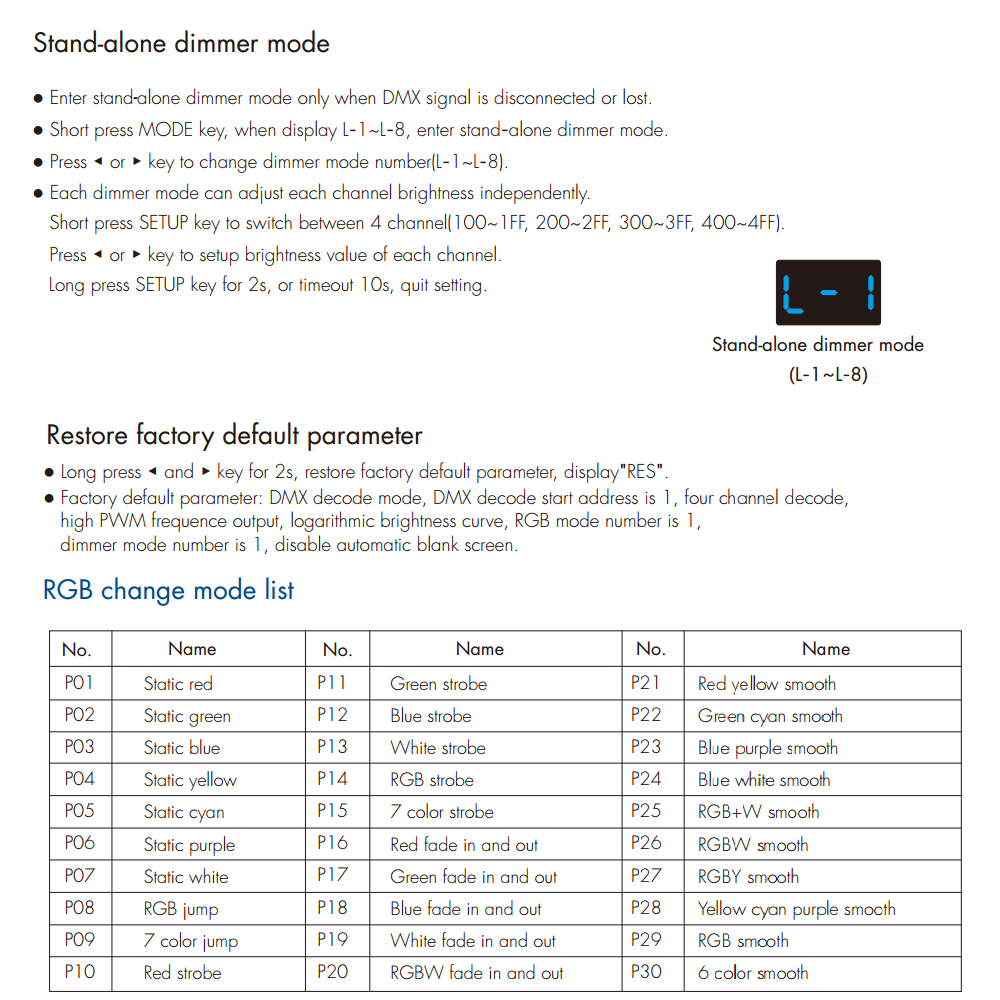
Stand-alone dimmer mode:
Enter stand-alone dimmer mode only when DMX signal is disconnected or lost.
● Short press MODE key, when display L–1~L–8, enter stand–alone dimmer mode.
● Press ◀ or ▶ key to change dimmer mode number(L–1~L–8).
● Each dimmer mode can adjust each channel brightness independently.
Short press SETUP key to switch between 4 channel(100~1FF, 200~2FF, 300~3FF, 400~4FF).
Press ◀ or ▶ key to setup brightness value of each channel.
Long press SETUP key for 2s, or timeout 10s, quit setting.
RGB Change Mode list:
| No. | Name | No. | Name | No. | Name |
| P01 | Static red | P11 | P21 | Green strobe | Red yellow smooth |
| P02 | Static green | P12 | P22 | Blue strobe | Green cyan smooth |
| P03 | Static blue | P13 | P23 | White strobe | Blue purple smooth |
| P04 | Static yellow | P14 | P24 | RGB strobe | Blue white smooth |
| P05 | Static cyan | P15 | P25 | 7 color strobe | RGB+W smooth |
| P06 | Static purple | P16 | P26 | Red fade in and out | RGBW smooth |
| P07 | Static white | P17 | P27 | Green fade in and out | RGBY smooth |
| P08 | RGB jump | P18 | P28 | Blue fade in and out | Yellow cyan purple smooth |
| P09 | 7 color jump | P19 | P29 | White fade in and out | RGB smooth |
| P10 | Red strobe | P20 | P30 | RGBW fade in and out | 6 color smooth |
System parameter setting:
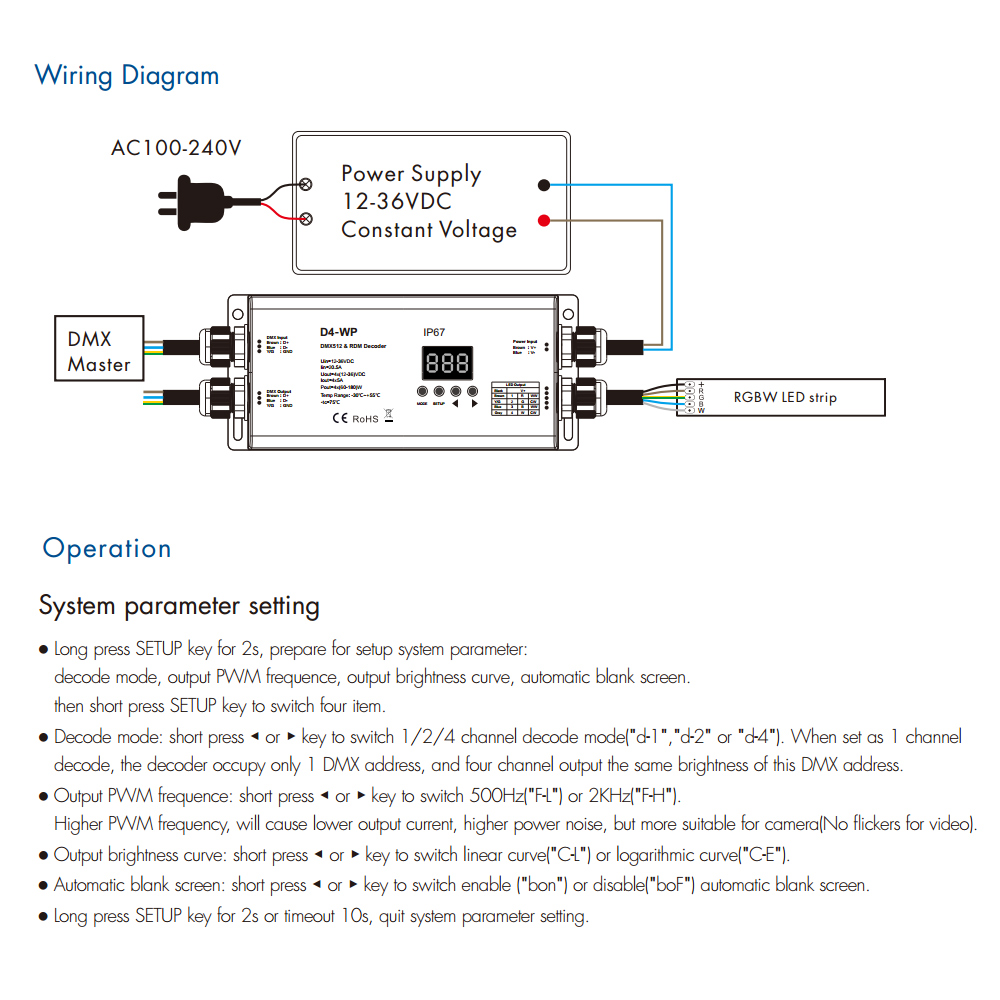
● Long press SETUP key for 2s, prepare for setup system parameter:
decode mode, output PWM frequence, output brightness curve, automatic blank screen.
then short press SETUP key to switch four item.
● Decode mode: short press ◀ or ▶ key to switch 1/2/4 channel decode mode(“d-1“,“d-2” or “d-4“). When set as 1 channel
decode, the decoder occupy only 1 DMX address, and four channel output the same brightness of this DMX address.
● Output PWM frequence: short press ◀ or ▶ key to switch 500Hz(“F-L“) or 2KHz(“F-H“).
Higher PWM frequency, will cause lower output current, higher power noise, but more suitable for camera(No flickers for video).
● Output brightness curve: short press ◀ or ▶ key to switch linear curve(“C-L“) or logarithmic curve(“C-E“).
● Automatic blank screen: short press ◀ or ▶ key to switch enable (“bon“) or disable(“boF“) automatic blank screen.
● Long press SETUP key for 2s or timeout 10s, quit system parameter setting.
Product Class
- LED Accessories
- LED Aluminium Profile
- LED Cabinet Ligting
- LED Controller
- LED Strip Light
- Uncategorized
- MJJC- New & Hot Lights
Contact Us
Name: Ms Carol
Skype: mjjcled
Tel: 86-(0755) 8451 8824
Mob: 86-13632625170
E-mail: sales@mjjcled.com
Add: 14F,Building 7,Nanlian New Village,No.69 Yingzhu Rd,Longgang,Shenzhen,China,518110
Contact us On Line.
 Skype ID:mjjcled
What's app: 86-13632625170